Foundation · Suite · Services

Contents

Contents

  1. 01Platform FoundationThe foundation every solution is built on.
  2. 02Platform SuiteSix products. No project starts from scratch.
  3. 03Platform ServicesA partner from first build to daily operation.
  4. 04QuestionsWhat teams ask first
  5. 05ContactSee it against your own requirements.

INDICE Platform

Build your own product, SaaS or ecosystem.

INDICE Platform brings together what that takes: an open-source foundation, a suite of six ready-made products, and the engineers who build alongside you. Start small and scale, in the cloud or on your own infrastructure.

Explore the platform
  1. 01Platform FoundationThe mortarOpen-source Indice libraries and years of engineering practice, under everything we build.
  2. 02Platform SuiteThe bricksAgents, Cases, IAM, Messaging, Risk and Workers: six ready-made products for common business needs.
  3. 03Platform ServicesThe builderOur engineers develop, integrate and support alongside your team, from first build to daily operation.

§ 01Platform Foundation

The foundation every solution is built on.

The technological base of all our solutions: open-source Indice libraries, and the engineering expertise of the team that builds on them every day.

  1. 01

    Indice open-source libraries

    Proven, reusable building blocks that make software faster to build and more secure. They are published on NuGet and npm and developed in the open.

    NuGet · npm · GitHub
  2. 02

    Engineering expertise

    Years of software development experience and well-established company practices, carried into every library and every delivery.

    Experience · Practices
  3. 03

    Start small, then scale

    Begin with a single modular application and split it into services as you grow. Multitenant design is part of the foundation, so the same code can serve one organisation or many.

    Modular monolith · Microservices · Multitenancy
  4. 04

    Deploy anywhere

    Any operating system, environment or orchestrator: IIS, Nginx, Kubernetes, AKS, EKS, Azure Container Apps and Azure Web Apps.

    Cloud · On-premises
  5. 05

    Your choice of data store

    Use the stores you already run: major relational databases such as PostgreSQL and SQL Server, and document stores such as Redis and Elastic.

    Relational · Document
  6. 06

    Observable from day one

    Traces, metrics and logs through first-class OpenTelemetry integration, into the monitoring tools you already use.

    OpenTelemetry
  7. 07

    Enterprise-standard technology

    Built on .NET and Angular, technologies your team can hire for, support and keep for the long term.

    .NET · Angular

§ 01Best practices, built in

Build on what we have already solved.

Run high-throughput APIs, workers and agents securely. Connect your services to the outside world. Secure and harden your product. The libraries carry the practices, so your team does not rebuild them for every project.

  • Security and hardening

    • Rate limiting
    • IP restrictions
    • OWASP hardening: HSTS, secure headers, CSP
    • Input validation
    • Cryptography extensions
    • Least privilege
  • Identity and access

    • Authentication extensions
    • Authorization extensions
    • Backend for frontend (BFF)
    • mTLS extensions
    • PSD2
  • Architecture

    • Modular monolith or microservices
    • Multitenant design
    • Outbox
    • Mediator with platform events
    • OpenAPI 3.1 generation
    • SignalR extensions
  • Background processing

    • Job scheduling
    • Pipelines and queues
    • Distributed locks
    • Leader election
  • Operations and audit

    • Native OpenTelemetry
    • Audit logs
    • IP geolocation
  • Integration SDK

    • Apple
    • GovGR and EU services
    • Email providers
    • SMS gateways
    • Push notification providers

Plate I

One foundation under every product.

Mortar and bricks. Every product in the suite is assembled from the same open-source Indice libraries, so the product you add next, or the one you build yourself, joins the same identity, hosting and extension patterns.

  • Agents
  • Cases
  • IAM
  • Messaging
  • Risk
  • Workers

§ 02Platform Suite

Six products. No project starts from scratch.

Ready-made products for common business needs: AI assistants, case workflows, identity, messaging, risk scoring and background processing. Adopt one, combine several, or build your own product on top of them.

Fig. 02.1

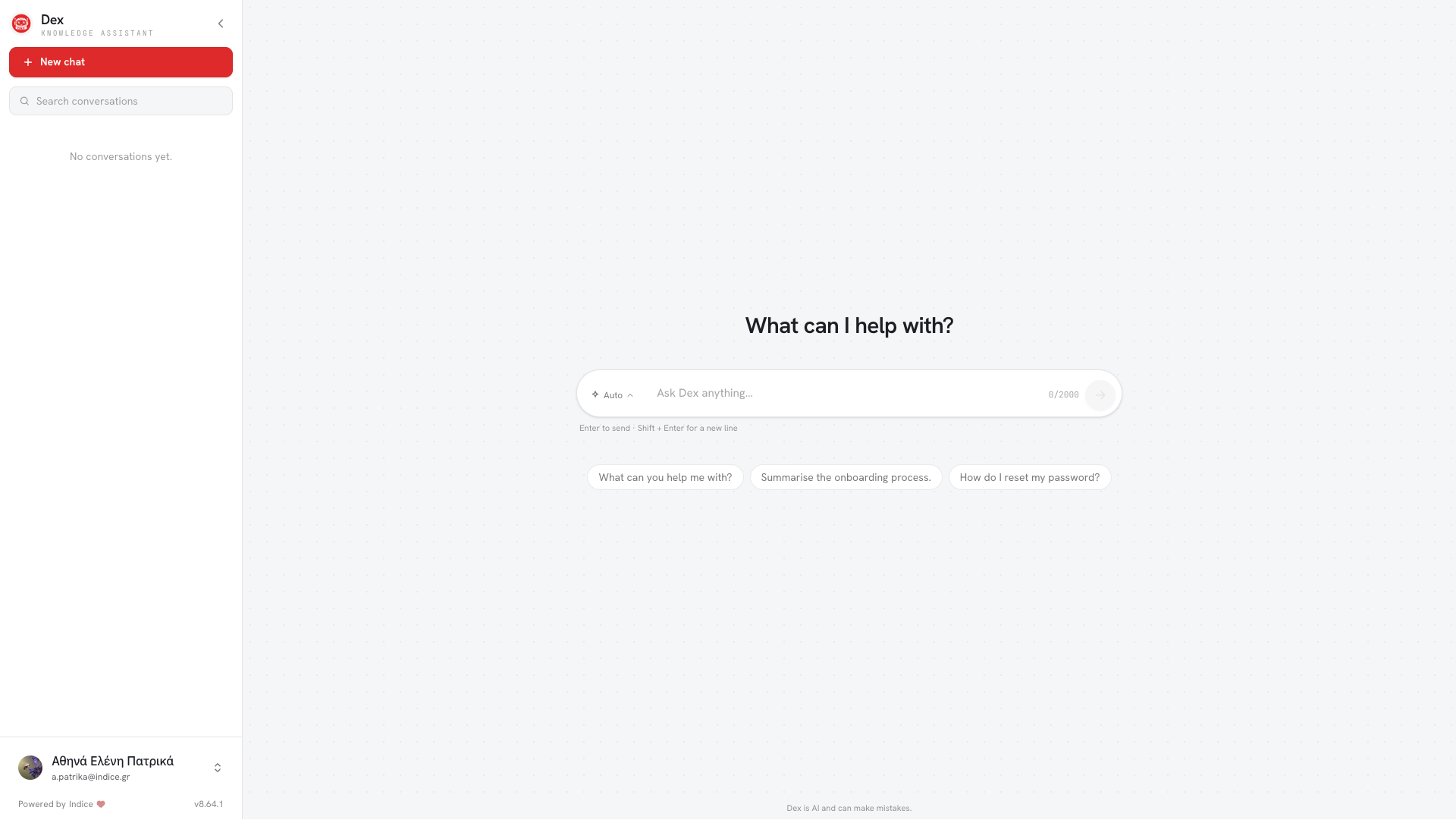
AI assistants grounded in your own knowledge

Give customers and staff an AI assistant that answers from your own documentation, with sources.

Fig. 02.3

Identity and access management

Sign in staff, customers and partners with MFA and device trust.

Fig. 02.4

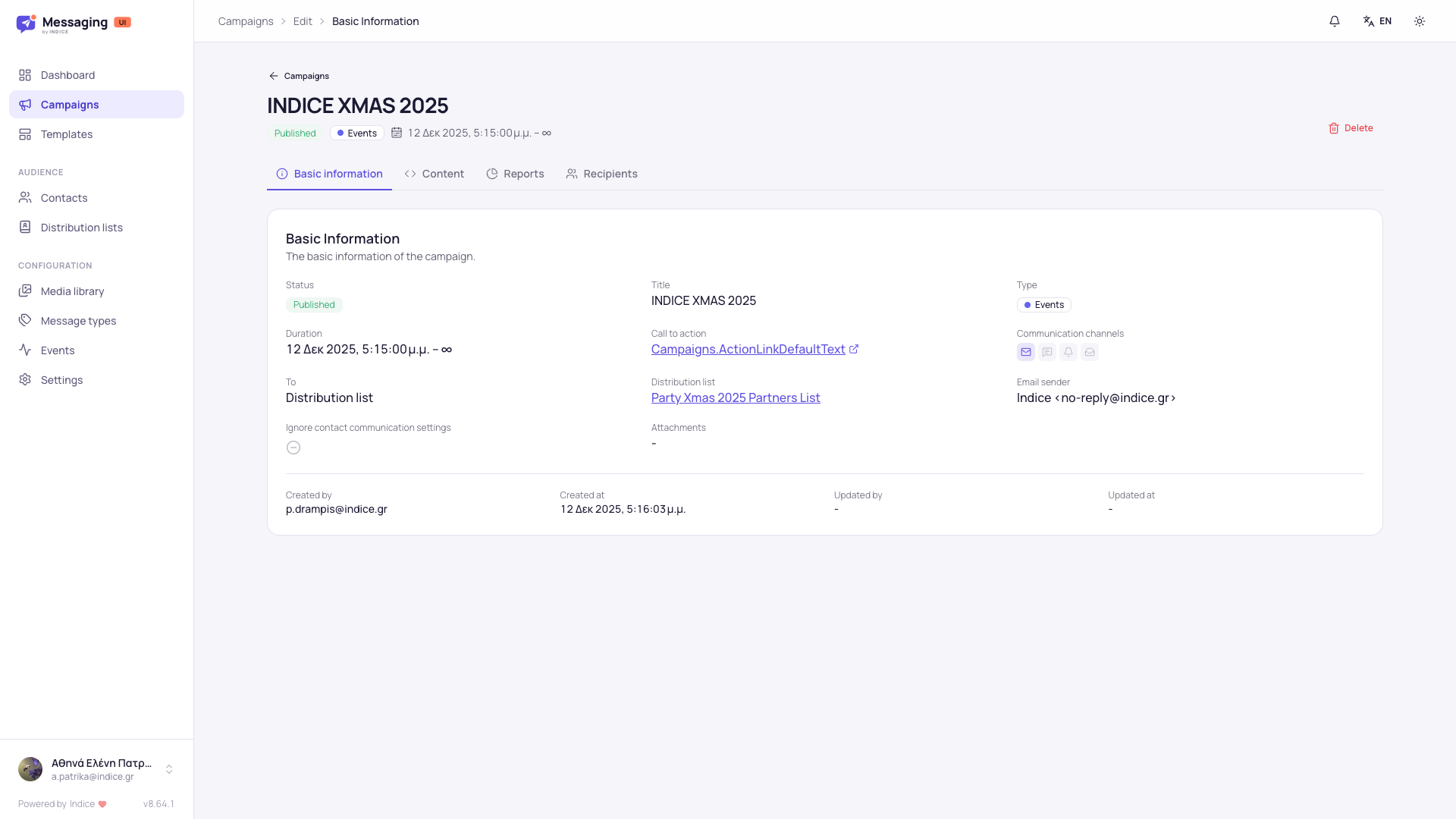
Multichannel campaigns and notifications

Send campaigns and transactional messages on every channel.

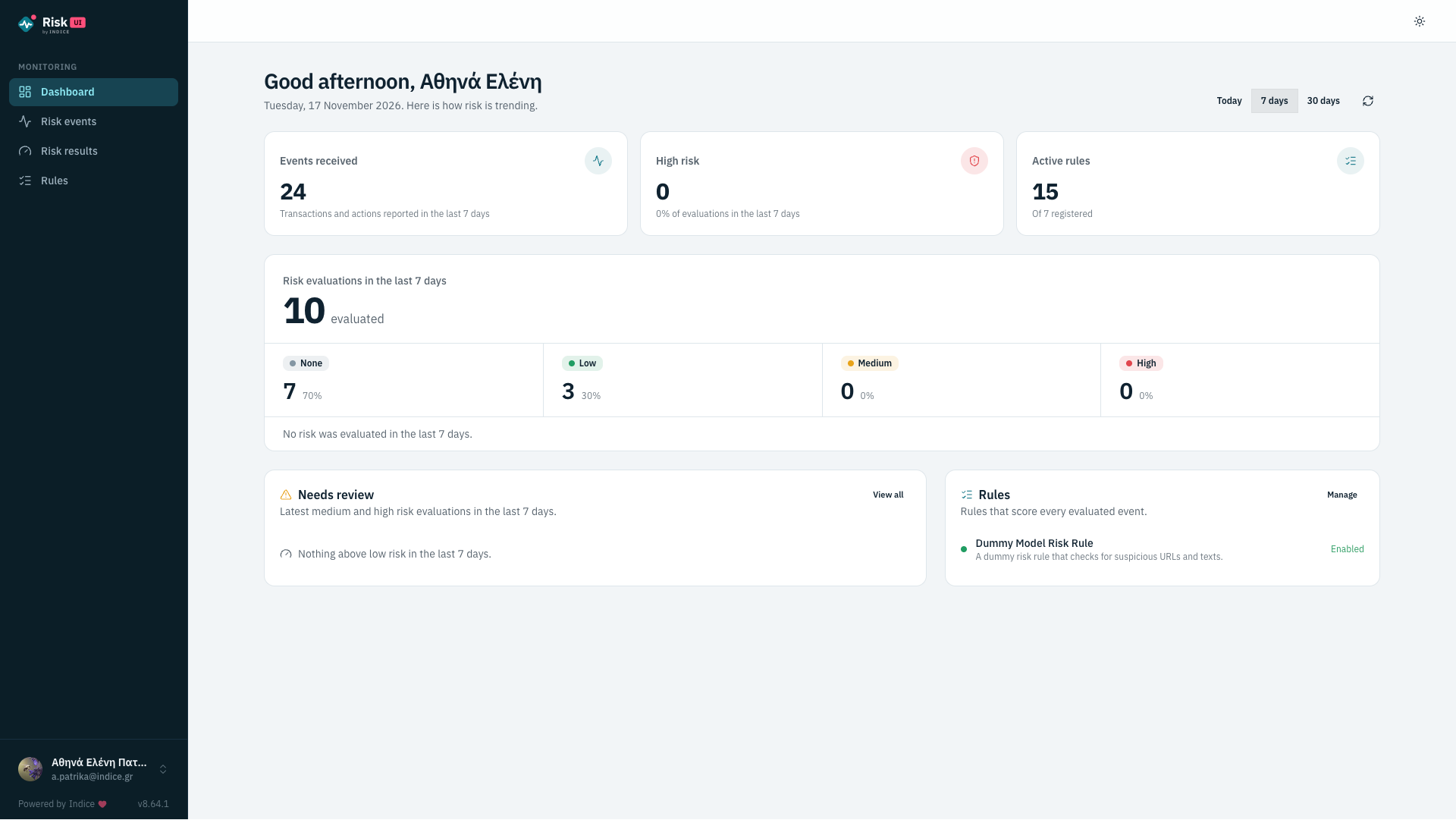
Fig. 02.5

Real-time risk scoring for transactions and activity

Score payments, logins and account changes before they commit.

Fig. 02.6

Background jobs, queues and scheduling

Run scheduled and queued background work, and watch it from one dashboard.

§ 02Product by product

What each product does

What each product does, the features that set it apart and what it looks like in use.

Agents brings Dex, an AI assistant, to your web and mobile apps. It answers questions from your organisation’s own documentation, cites the sources it used, and says so when the sources do not cover a question.

What it does
  1. Your documentation is ingested, split into passages and indexed for retrieval.
  2. Each message is routed to the agent best suited to handle it, such as the knowledge agent.
  3. The agent retrieves the most relevant passages and writes an answer with numbered citations.
  4. The answer streams to the user as it is written, and the conversation is saved so it can be continued or searched later.
Highlights
  • Cited answersEvery answer lists the source sections it drew from, so readers can check it.
  • Strict groundingOn by default: when your documentation is not enough, the assistant declines instead of guessing.
  • Specialised agentsAn intent router sends each message to the right agent. Auto lets it choose.
  • Connected to your systemsThrough MCP, an operator agent can look up cases and case types, with one-time codes for sensitive steps.
  • Web and mobile, ready-madeA web chat app, plus iOS and Android SDKs that include a finished chat interface.
  • Rich repliesMarkdown, code, diagrams, images, multiple choice, callouts and confirmations, not only plain text.

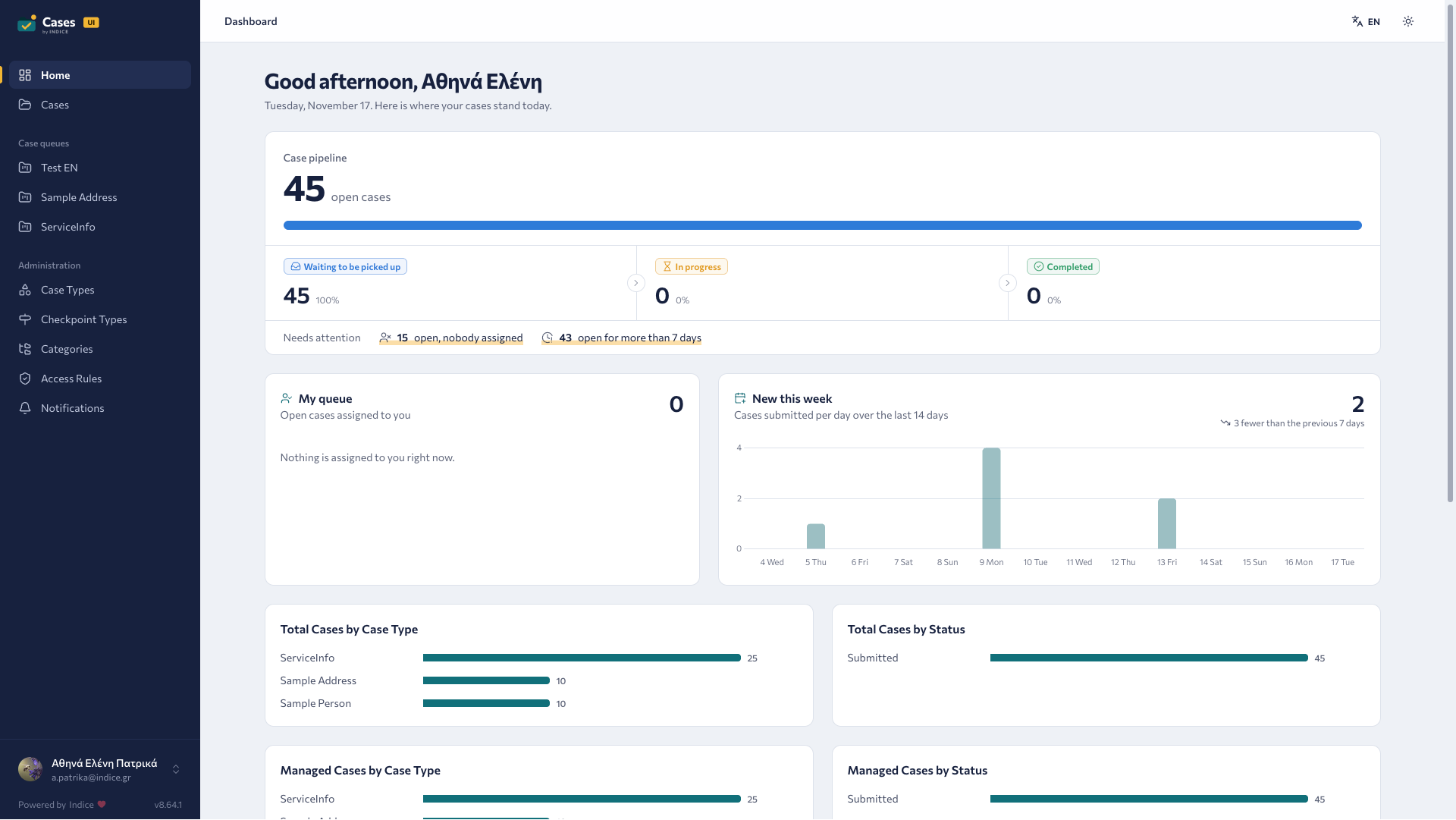
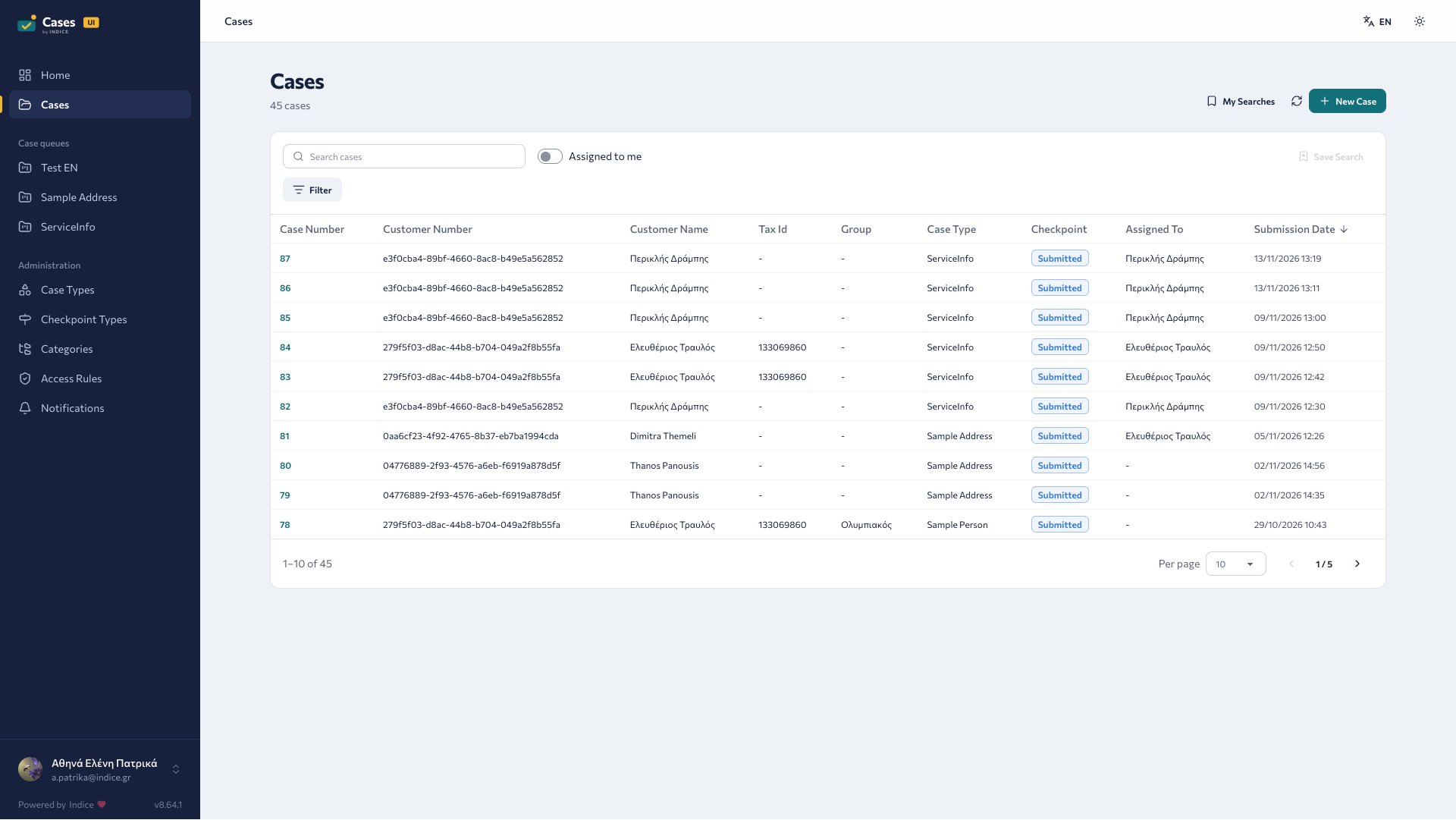
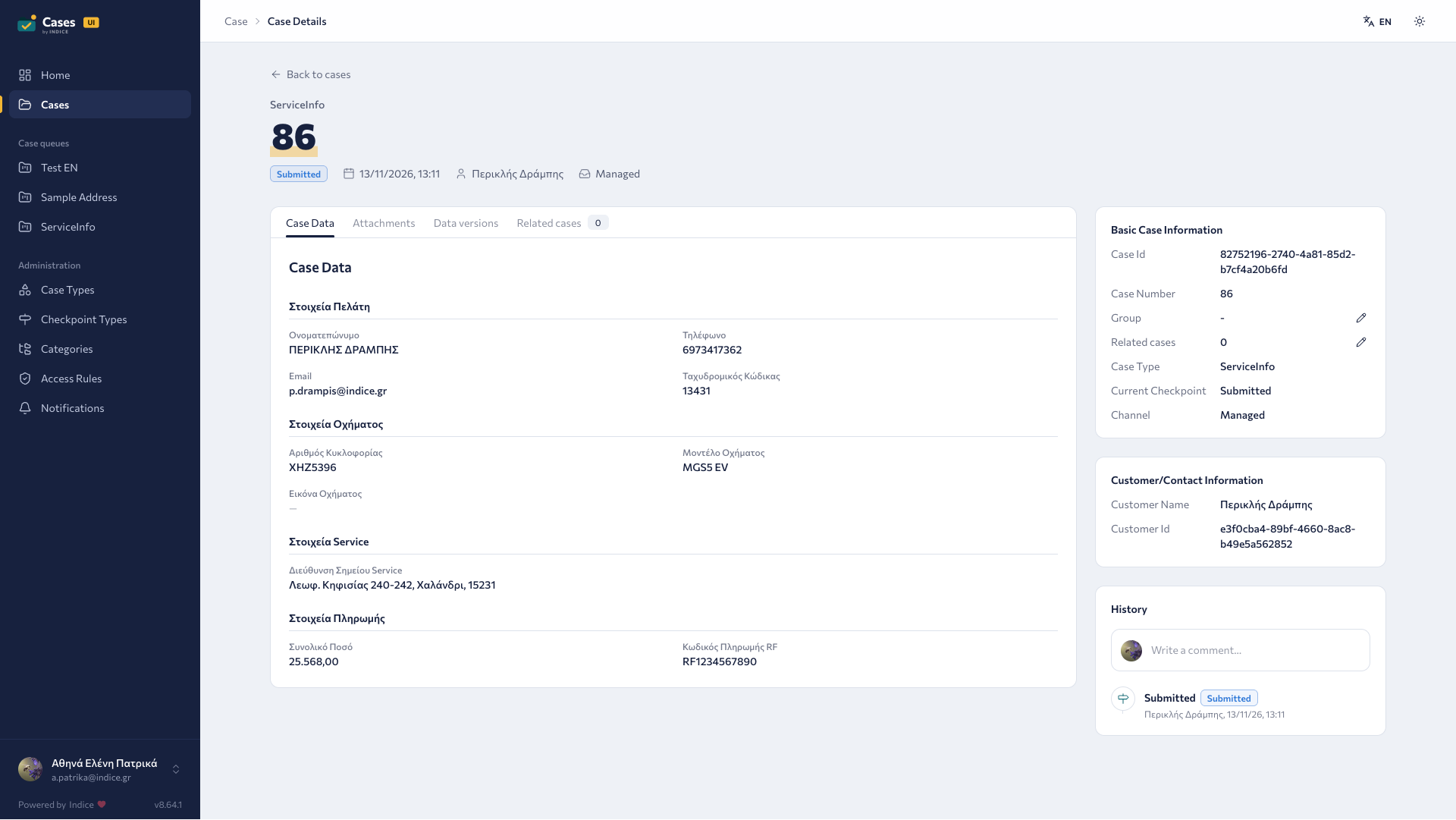
Cases runs form-driven processes, such as applications, service requests and approvals, on one record shared by customers and back-office staff. A new process is configuration, not a development project.

What it does
  1. Define a case type: the form, the states a case moves through and the workflow that decides who acts next.
  2. Customers submit cases from your web and mobile apps, and staff open cases on a customer’s behalf. Both follow the same process.
  3. The back office shows each person only the actions waiting for them: assign, edit, approve, reject or a custom action.
  4. Customers follow progress through public statuses, while internal steps and data stay internal.
Highlights
  • Processes as configurationA new process is a form, a set of checkpoints and a workflow. No new screens, tables or deployments.
  • Visual workflow designerDesign and publish workflows in the browser, without a redeploy.
  • Four-eyes approvalMaker-checker steps, role-limited approvals and translated rejection reasons are part of the workflow.
  • Public and private viewsCustomers see public statuses and published data only. Everything else stays with the back office.
  • Full historyEvery state change, data version, comment and approval is recorded, and each case can be produced as a PDF.
  • Record-level accessAccess by role, by rule on a case, case type or checkpoint, and by ownership.

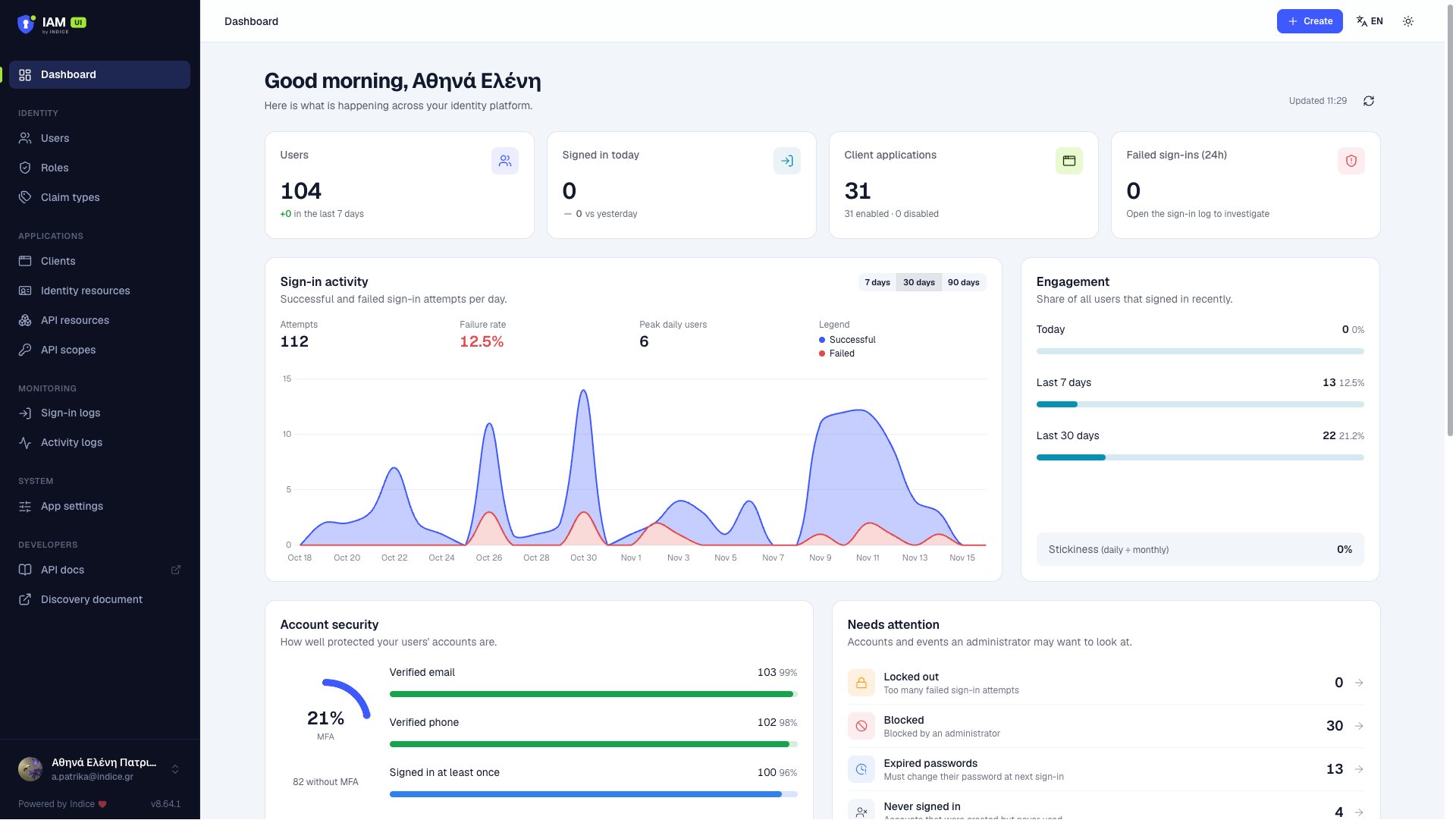
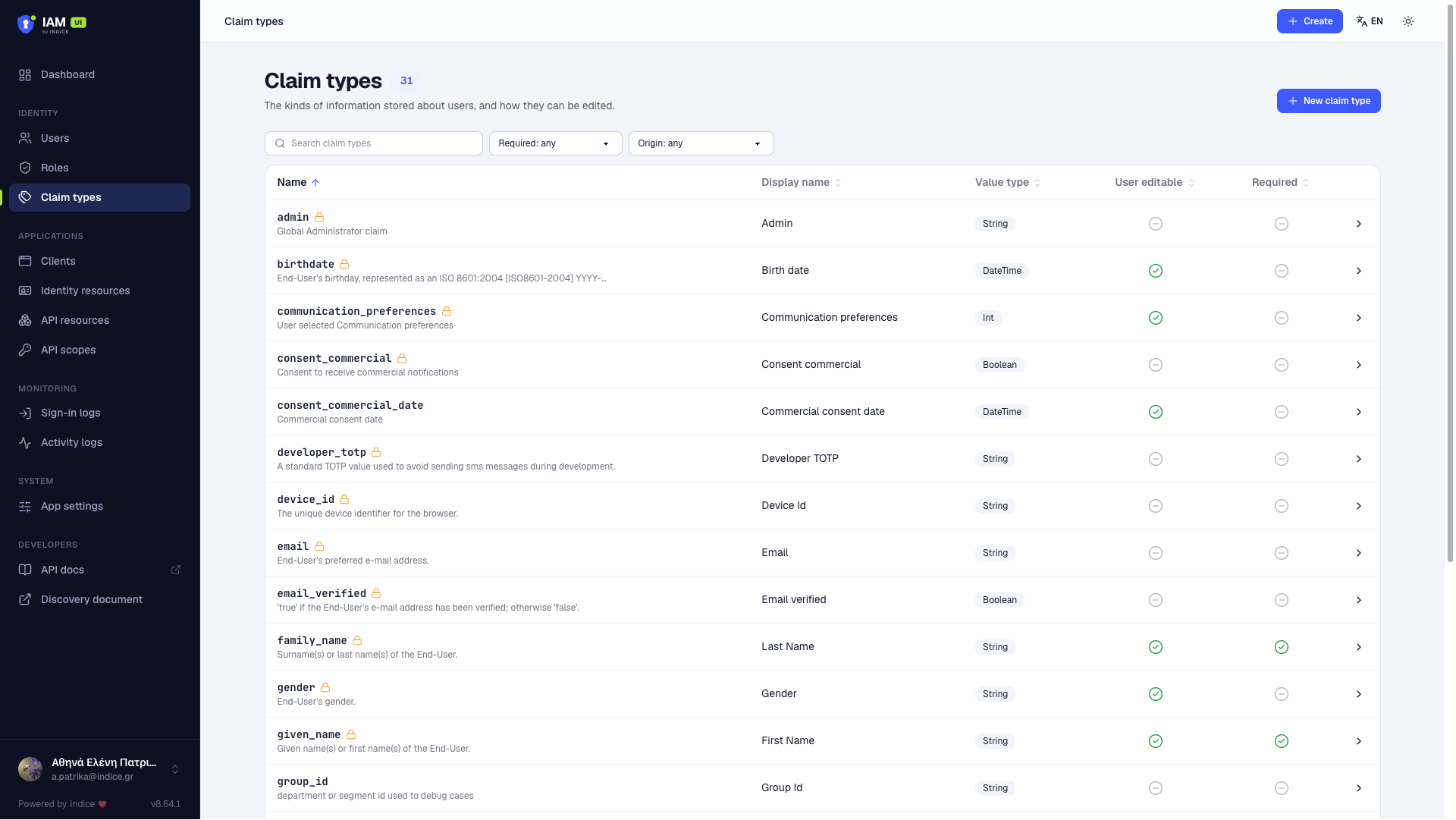
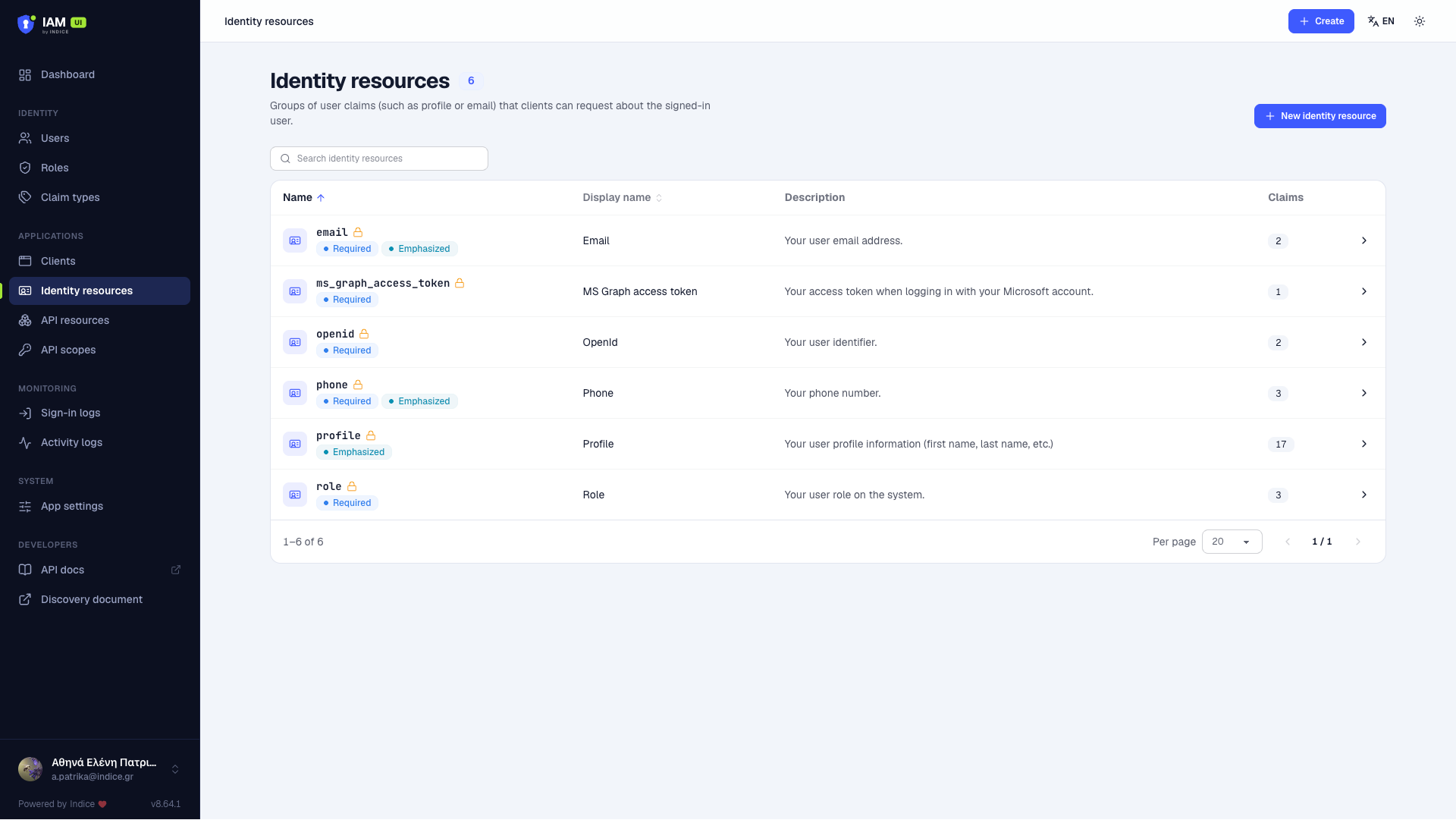
IAM is your own identity provider: one sign-in for workforce, customers and partners, with multi-factor authentication, trusted devices, audit trails, self-service account pages and an admin console. It speaks OpenID Connect and OAuth2, so any standard application can connect to it.

What it does
  1. Users sign in with a password or an external provider such as Apple, Google, Microsoft, Facebook or GovGr.
  2. Multi-factor authentication follows where it is required: SMS, email, Viber, authenticator app, push approval on a trusted device, or FIDO2 / WebAuthn.
  3. Before access is granted, a chain of checks handles terms acceptance, MFA enrolment, email and phone confirmation and password expiry.
  4. Every sign-in is logged with its device and location, and every administrative change is audited.
Highlights
  • Six MFA methodsFrom SMS and email codes to push approval and FIDO2, optional or enforced.
  • Device trust with a delayA newly registered device is not trusted until an activation window has passed.
  • Impossible-travel detectionSign-ins from places too far apart in too little time prompt for MFA or are denied.
  • Two audit trailsSign-in logs and activity logs, each with its own store and retention.
  • GovGr and social sign-inGovGr (TaxisNet), Apple, Google, Microsoft and Facebook built in, plus any standard OpenID Connect provider.
  • Sign-in pages you ownThemed per client application and replaceable page by page, without forking.

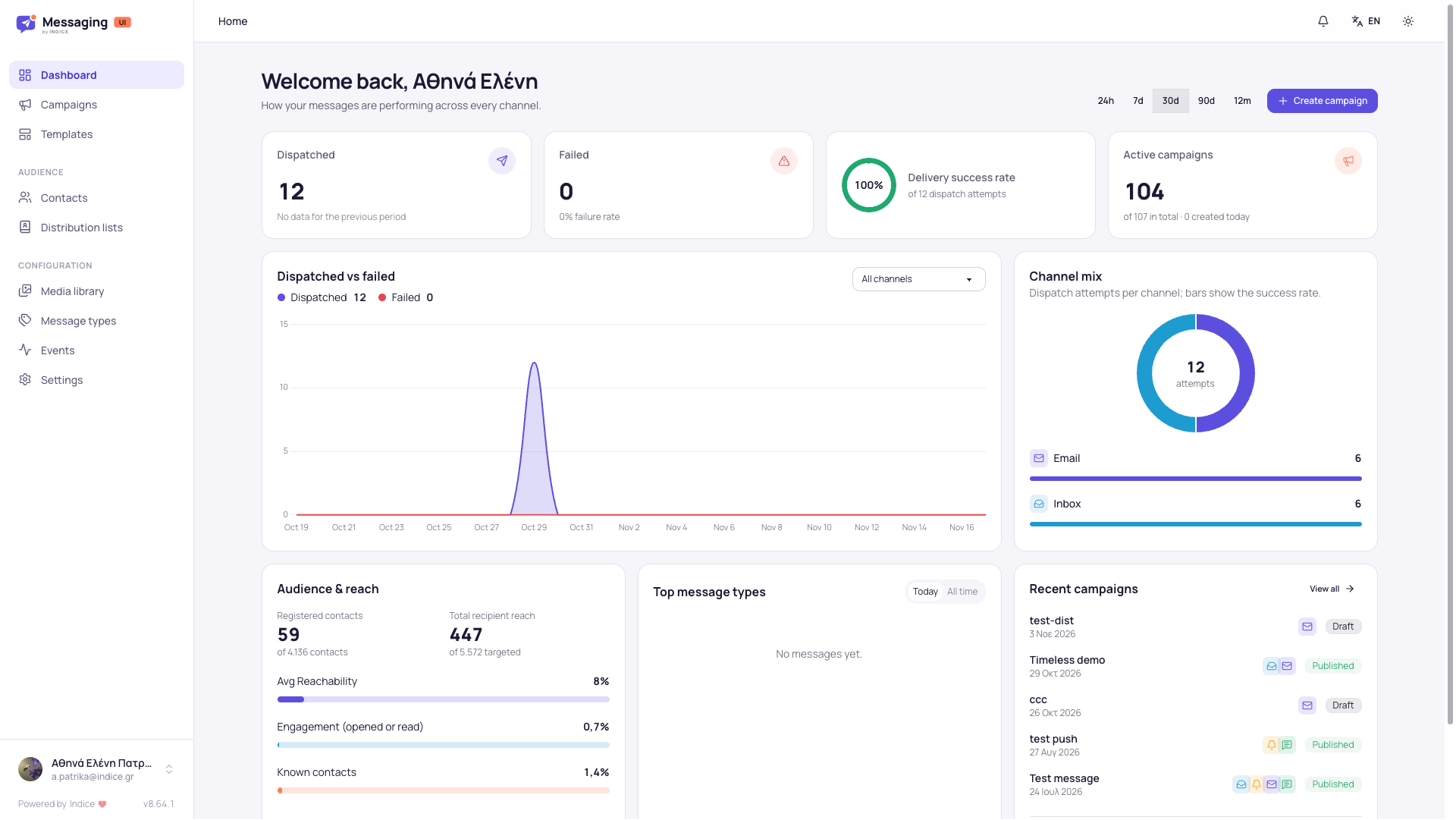
Messaging delivers marketing campaigns and transactional messages, such as one-time codes, receipts and alerts, over in-app inbox, push, email and SMS or Viber. Both run through one pipeline, with the same templates, audiences, recipient preferences and analytics.

What it does
  1. Operators build a campaign with content per channel, an audience from a distribution list or CSV import, and a schedule. Nothing is sent until it is published.
  2. Your other systems send transactional messages through the same pipeline with a single call.
  3. For each recipient, Messaging keeps only the channels they chose and can actually receive.
  4. Delivery and engagement roll up into Reached, Engaged, Acted and Coverage metrics.
Highlights
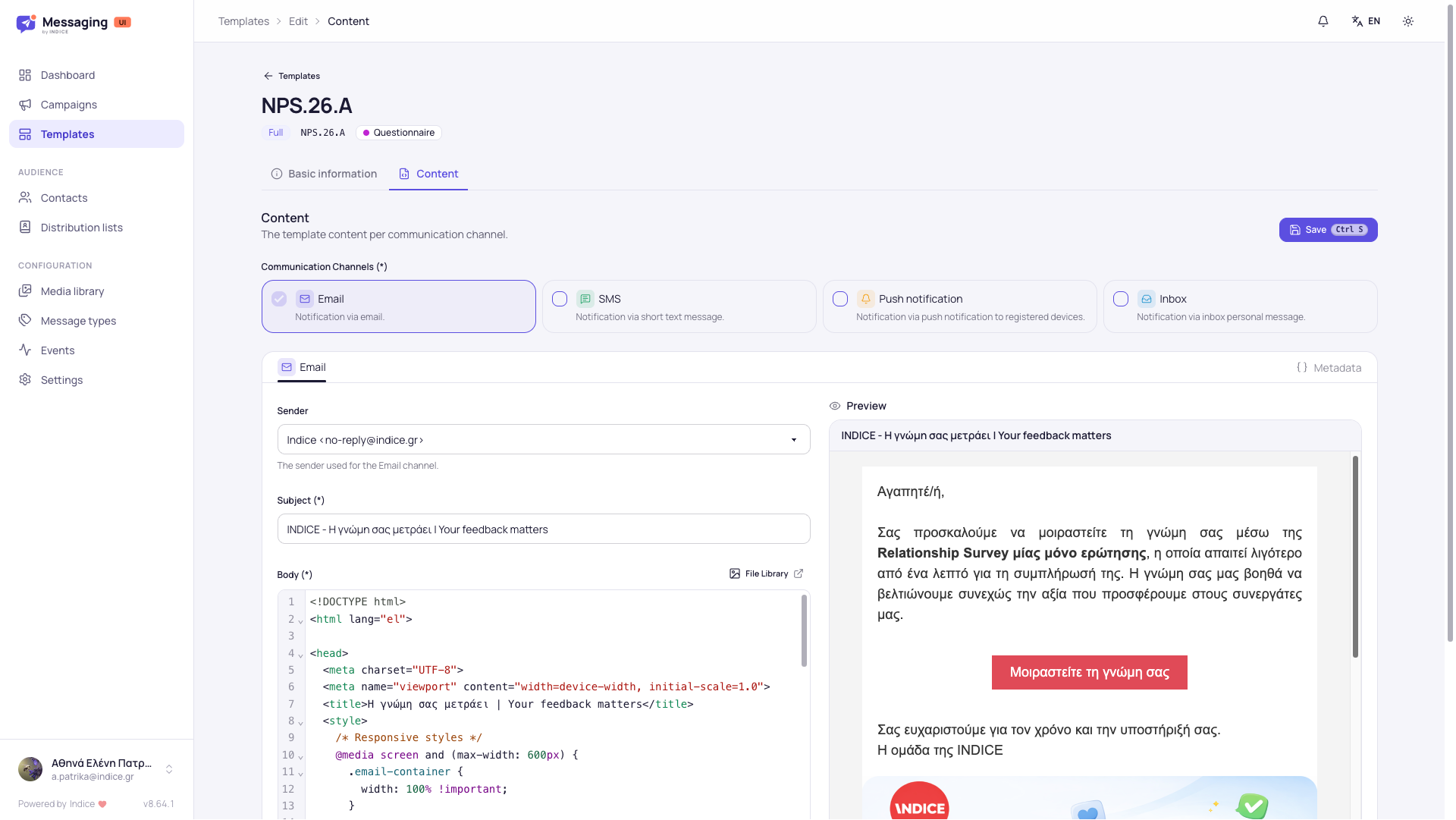
  • One campaign, four channelsInbox, push, email and SMS or Viber on a single campaign, with content written per channel.
  • Preference-aware deliveryRecipients choose channels per message type: offers by email, alerts by push.
  • Must-deliver messagesTransactional messages can override preferences, separating “you opted in” from “you must receive this”.
  • Swap vendors by settingEmail, SMS, Viber and push providers are configuration, with Greek SMS gateways next to the global ones.
  • Templates with live previewReusable templates, partials and layouts per channel, edited next to a live preview.
  • In-app inboxA message inbox for your own apps, with read state and real-time notifications.

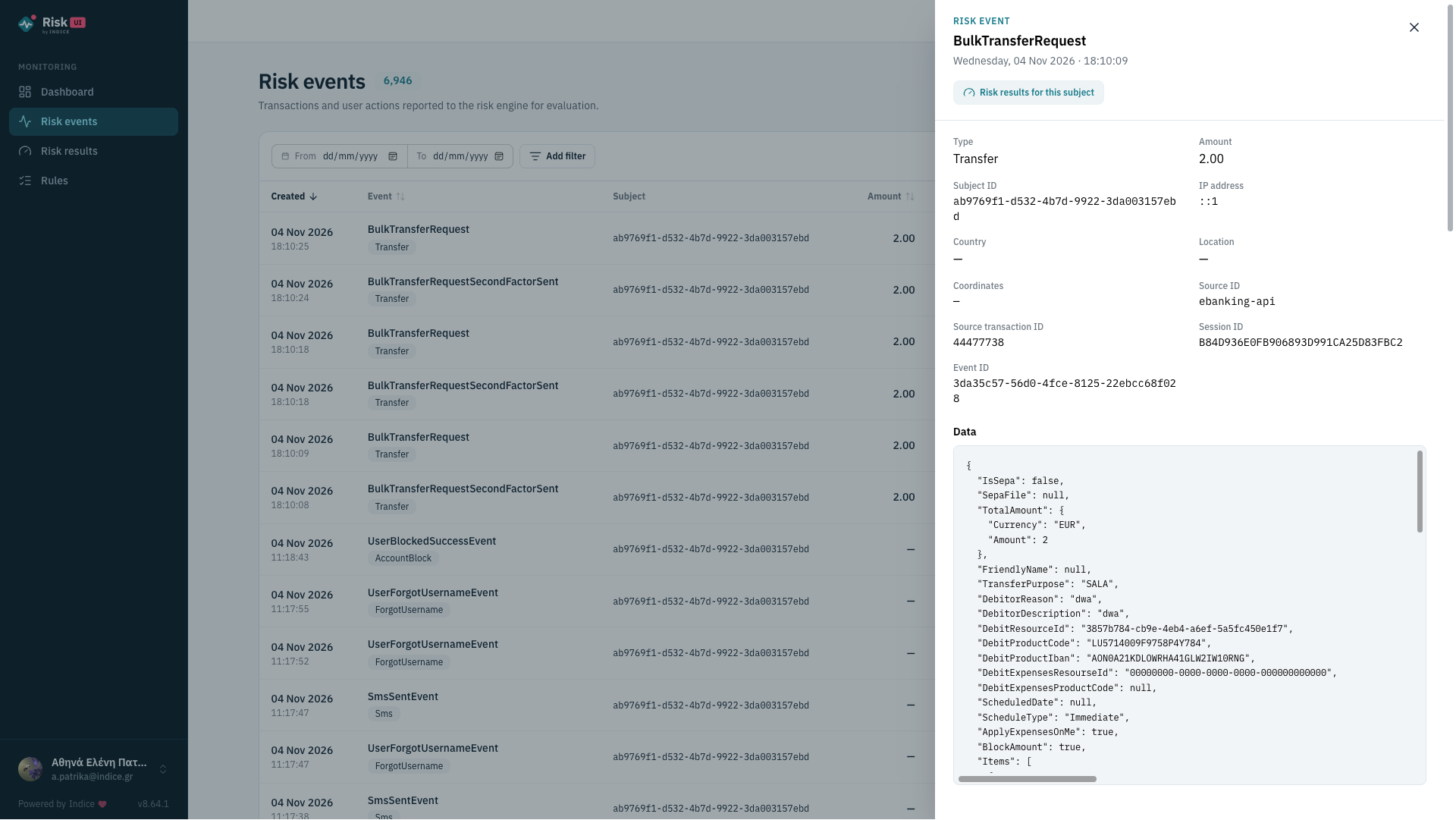
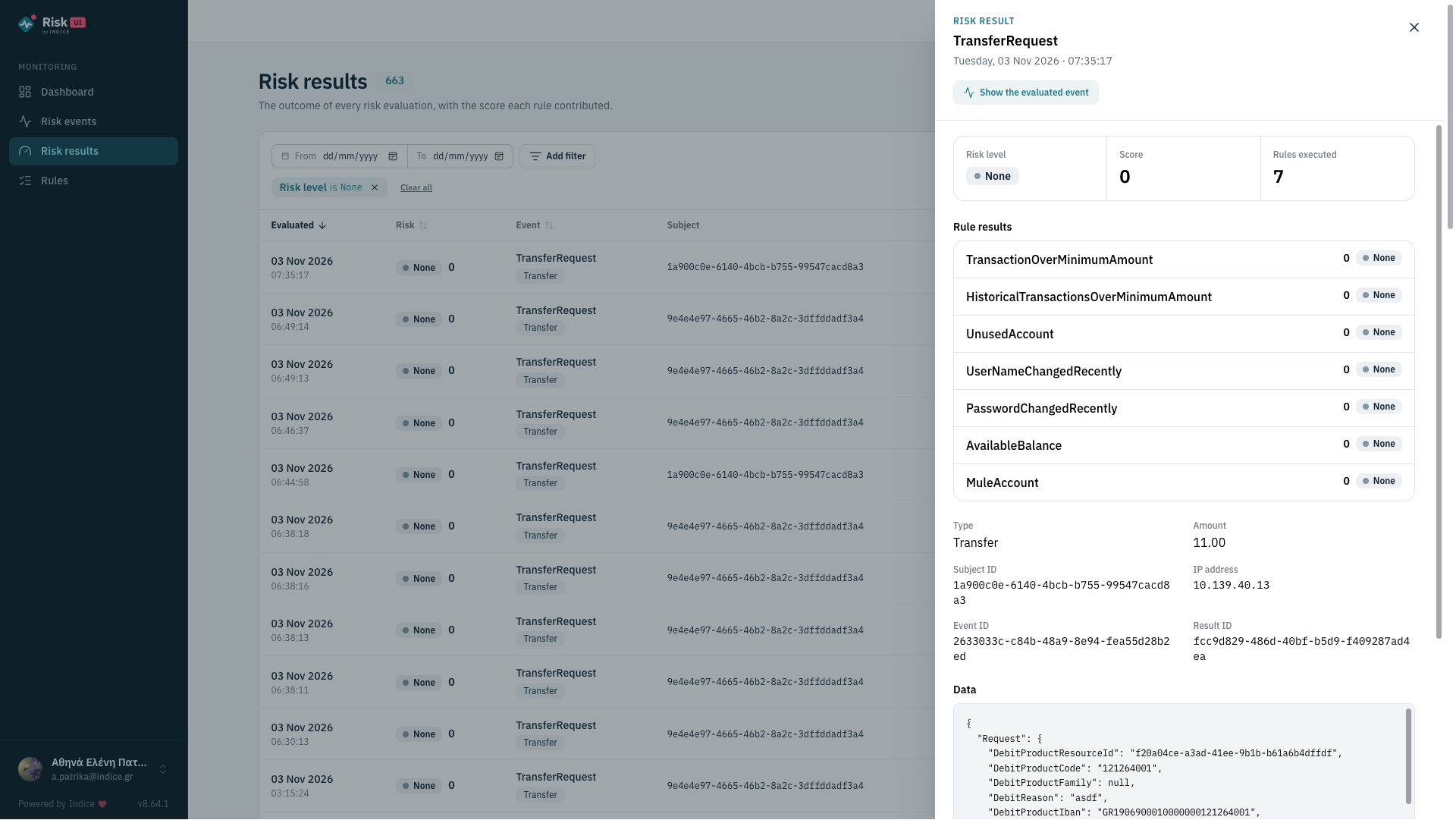
Risk scores operations such as payments, transfers, logins and profile changes in real time, before your application commits them. The application then lets the operation through, asks for extra verification or blocks it.

What it does
  1. Before committing an operation, your application sends it to the engine: who, what, how much and from where.
  2. The engine adds the location of the caller’s IP address and runs every enabled rule.
  3. The results combine into one score and one level, from None to High.
  4. Completed operations are recorded, so rules can check history: how often, how much and from which countries.
Highlights
  • Thresholds without a releaseOperators change limits, lists and switches from the console, and rules pick them up within seconds.
  • Explainable decisionsEvery assessment is stored with each rule’s score and reason, long after the decision was made.
  • One policy, every channelWeb banking, mobile, payments and sign-in flows call the same engine and follow the same rules.
  • Rules as codeA new fraud pattern is a new rule, reviewed, tested and versioned like the rest of your software.
  • Offline geolocationIP addresses resolve to a country and coordinates on your own servers. Lookups never leave the host.
  • Investigation consoleFilter by subject, session, IP, country or transaction, and drill into any decision.

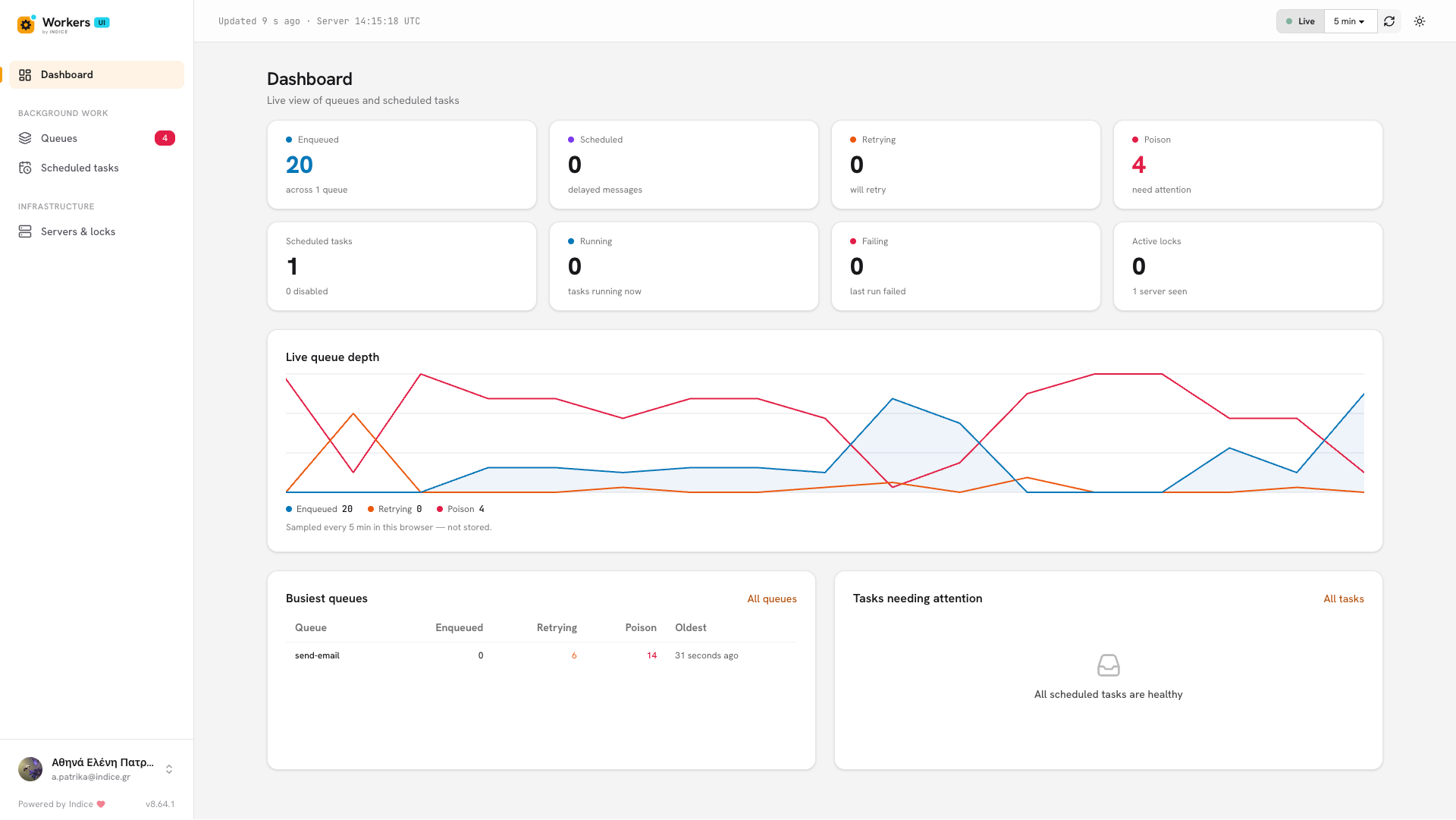
Workers runs the background work every system needs: scheduled jobs and queue-driven processing, reliably across several instances. Operators see queues, scheduled tasks, servers and locks on one dashboard, and can requeue or run work themselves.

What it does
  1. Developers write a job once and trigger it on a schedule or from a queue.
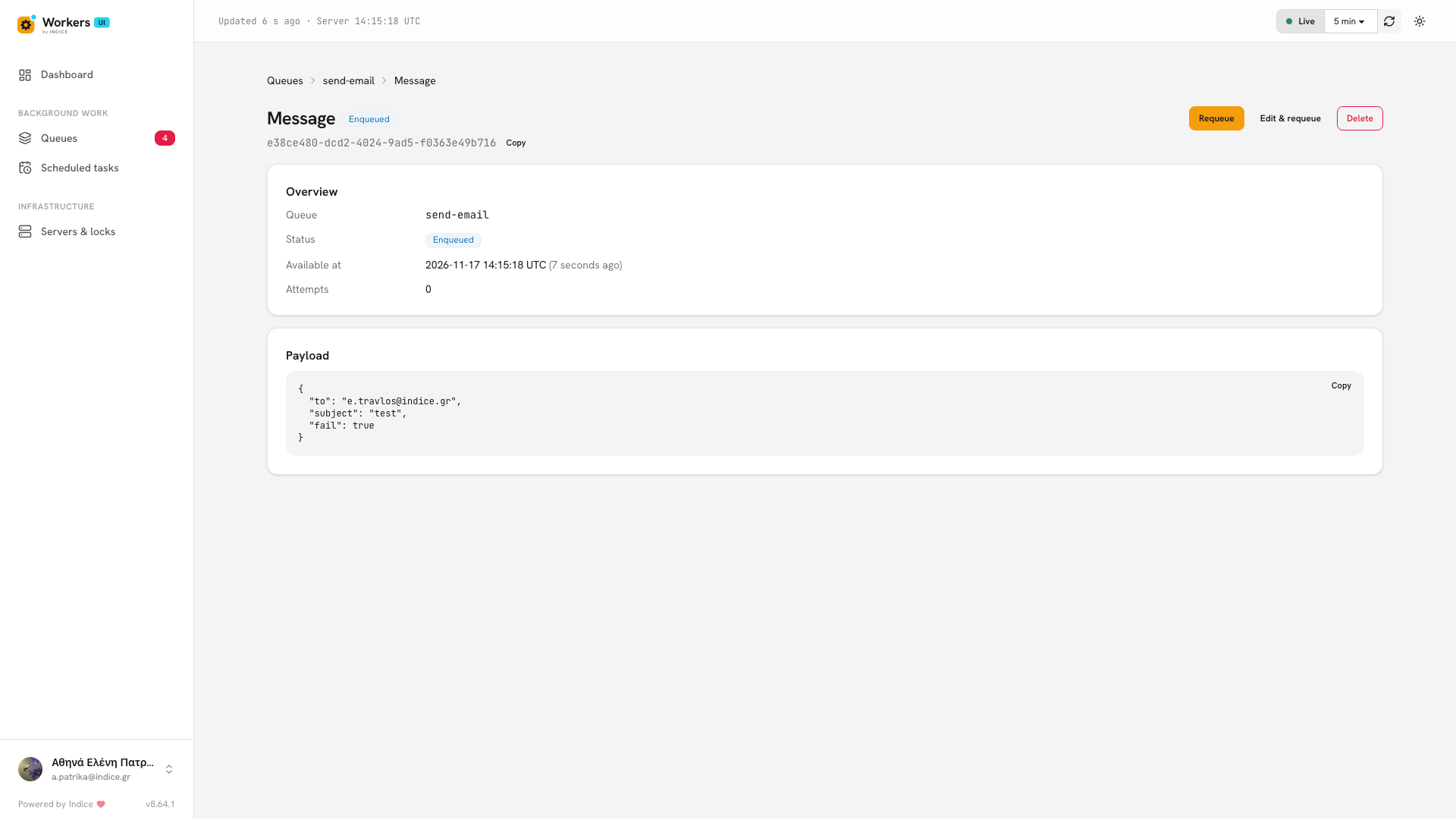
  2. Work is retried when it fails, and messages that keep failing move to a poison queue instead of blocking the rest.
  3. Each worker reports a heartbeat, so the dashboard shows which servers are alive.
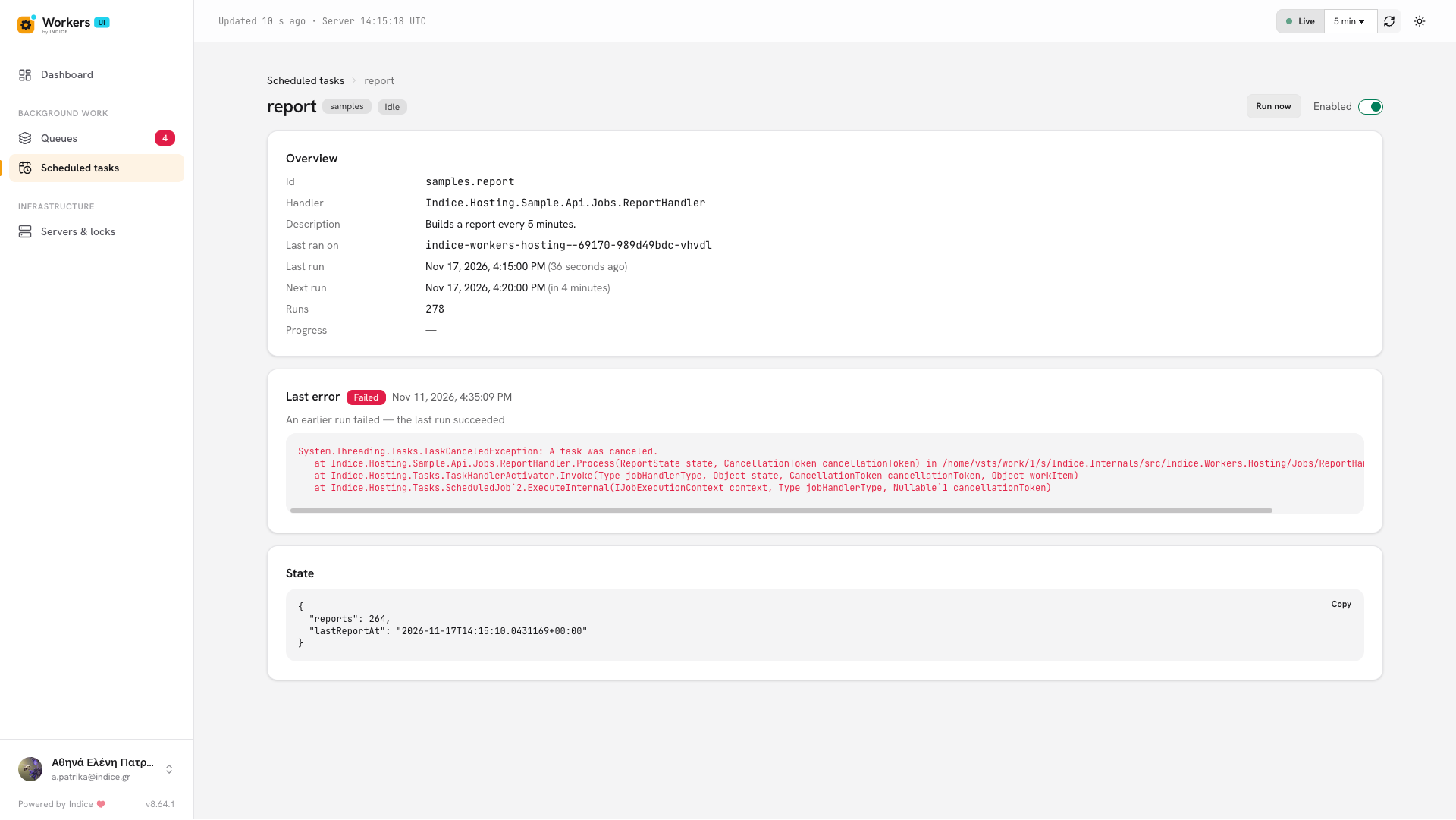
  4. Operators requeue messages, run or pause tasks and release locks from the dashboard.
Highlights
  • Live dashboardEnqueued, scheduled, retrying and poison messages, queue depth over time and the tasks that need attention.
  • Poison queuesMessages that exceed their retry limit are set aside, ready to inspect, edit and requeue.
  • Transactional enqueueMessages are enqueued in the same transaction as your data, so the two never disagree.
  • Run now, pause, resumeEach scheduled task shows its last and next run, its last error and the state it keeps between runs.
  • Health checks and metricsHealth checks for poison messages and stuck tasks, and metrics ready for OpenTelemetry.
  • SQL Server or PostgreSQLQueues, tasks, servers and locks live in the relational database you already run.

§ 03Platform Services

A partner from first build to daily operation.

We help you build your own solutions beside the platform or on top of it, integrate with whatever your business needs, and keep it all running. Consult with us, design with us, and create added value together.

  1. Software development

    Software tailored to your needs, built on the same foundation as our own products.

  2. Integration

    The Platform Suite products connected to your systems and processes.

  3. Ongoing support

    New features, regular security updates with CVE patching, and immediate technical assistance.

  4. Cloud practices

    Proven methods for deploying applications and monitoring them continuously, so they remain stable and available.

  5. Fintech experience

    In-depth knowledge of the sector’s requirements, regulations and particularities.

§ 04Questions

What teams ask first

Is this a SaaS?
No. You deploy the platform in your own environment, in the cloud or on premises, and your data stays with you. It is also what you can build your own SaaS on: multitenant design is part of the foundation.
Can we start with one product?
Yes. Each product stands on its own. Every product you add reuses the same hosting, identity and extension patterns, so the second is easier than the first.
Can we build our own product on it?
Yes. The foundation libraries are open source, and our engineers can build alongside your team or deliver the whole solution.
Where can it run?
On any operating system, environment or orchestrator: IIS, Nginx, Kubernetes, AKS, EKS, Azure Container Apps and Azure Web Apps.
Which data stores does it use?
The ones you already run: major relational databases such as PostgreSQL and SQL Server, and document stores such as Redis and Elastic.
Where does AI fit in?
Agents is the suite’s AI product: assistants that answer from your own documentation with cited sources, and connect to your systems. It is built on the same foundation as the rest of the suite.
How do we customise a product without forking it?
Through extension points registered in your own application, such as risk rules, workflow activities, sign-in steps and message providers, and by replacing pages and interface text.
What does INDICE do after go-live?
Ongoing support: new features, regular security updates with CVE patching, immediate technical assistance, and new development as your requirements change.

§ 05Contact

See it against your own requirements.

Request a demonstration focused on your processes, your systems and what you want to build.

GitHub indice-co (opens in a new tab)